
Mobile attendance, plus ZK fingerprint devices if you already have them
Employees check in and out from the OLU app on their phones, by location or by face, with no devices to buy. If your branches already use ZK fingerprint devices, we connect them to the same system.
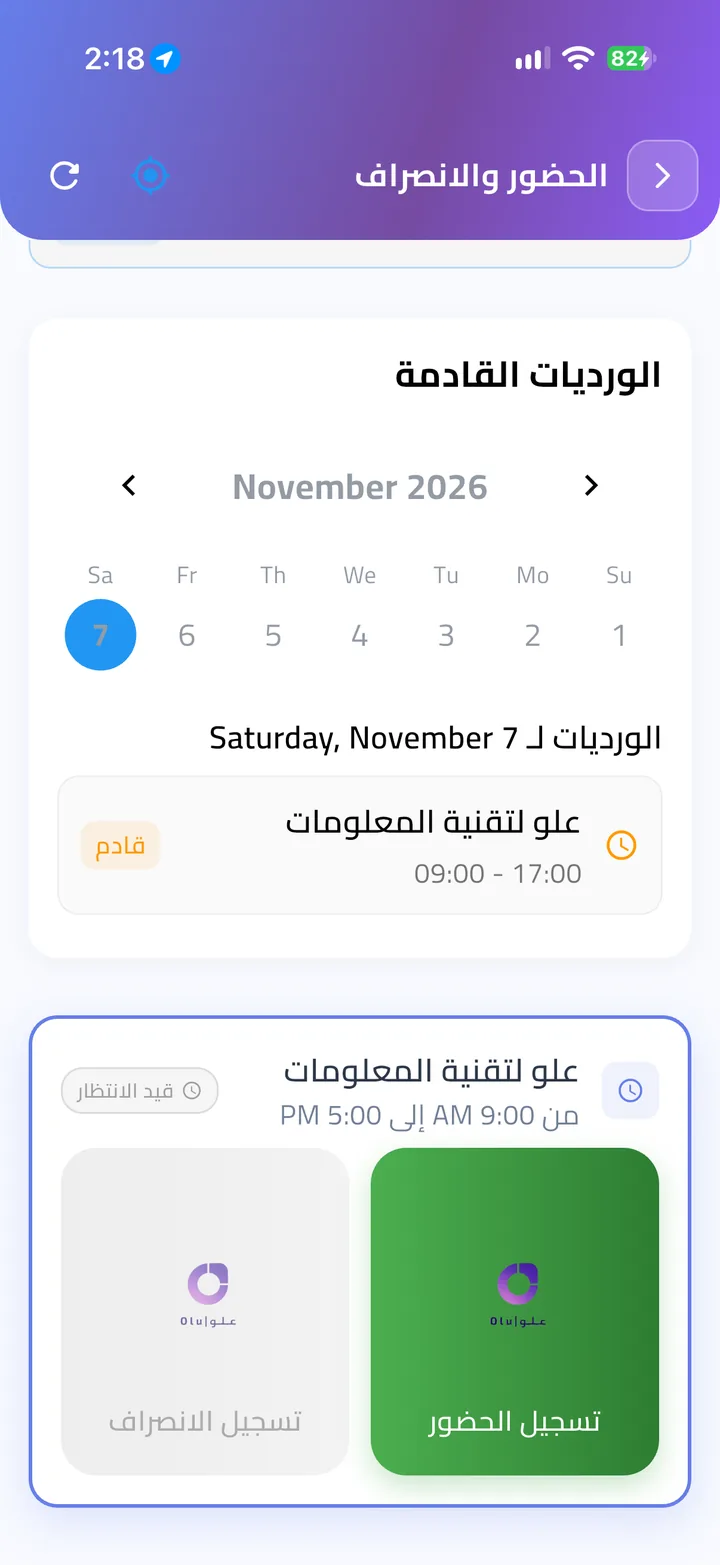
Three ways to check in, one system
- By location: employees check in from their phone when they are at the workplace.
- By face on the phone: the employee's identity is confirmed at check-in.
- With ZK fingerprint devices: for branches that already use them, with every record kept in one place.
Shifts and schedules for every employee
Set a schedule per employee or branch, with one or more shifts a day. Employees see today's and upcoming shifts in the app, so they know exactly when they start and finish.
Corrections and attendance proof
If someone forgets to check in, they submit a correction or attendance-proof request from the app. It follows your approval chain instead of side conversations.
Working hours that feed payroll
Attendance, lateness and absence show up in live reports per branch and flow straight into payroll and deductions, with no manual copying.
Related features
Frequently asked questions
Do I need fingerprint devices to use OLU?
No. Checking in from the phone by location or face is enough. ZK devices are optional for companies that own them and want to keep using them.
Does it support more than one shift a day?
Yes. An employee can have several shifts on the same day and sees all of them in the app.
Does it work for companies with several branches?
Yes. Each branch has its own settings and reports, and managers see every branch from one dashboard.
Try OLU HRMS with your team
A 7-day free trial with every feature, no payment card.